GitHub 部署 Hexo
五月 12, 2020

GitHub 是一个面向开源及私有软件项目的托管平台,因为只支持git 作为唯一的版本库格式进行托管,故名 GitHub。
一个 GitHub 账号,没有就去注册 https://github.com/
仓库名必须是 你的用户名+.github.io,例如我的用户名是 5MayRain ,那我的仓库名则为 5MayRain.github.io
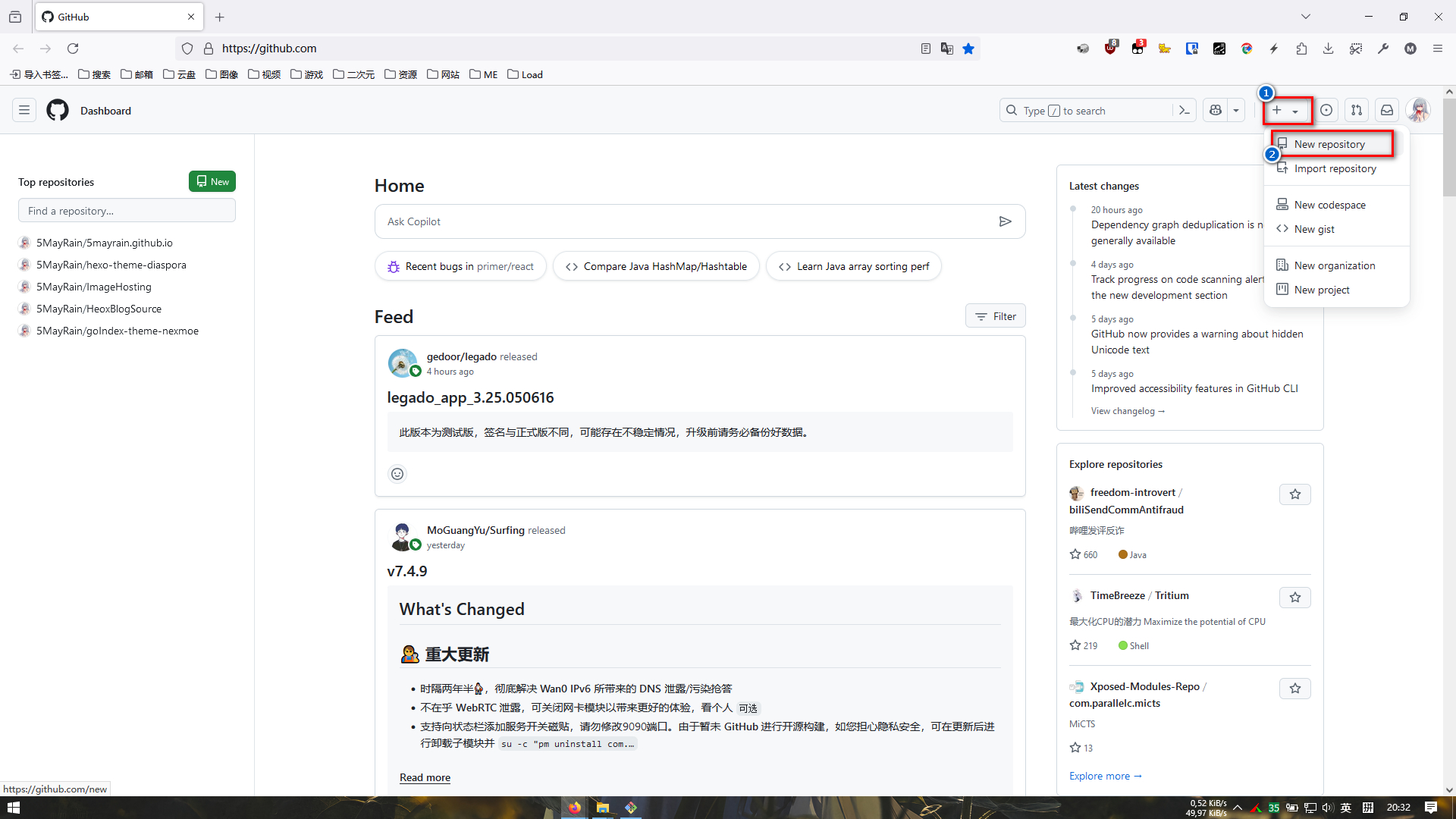
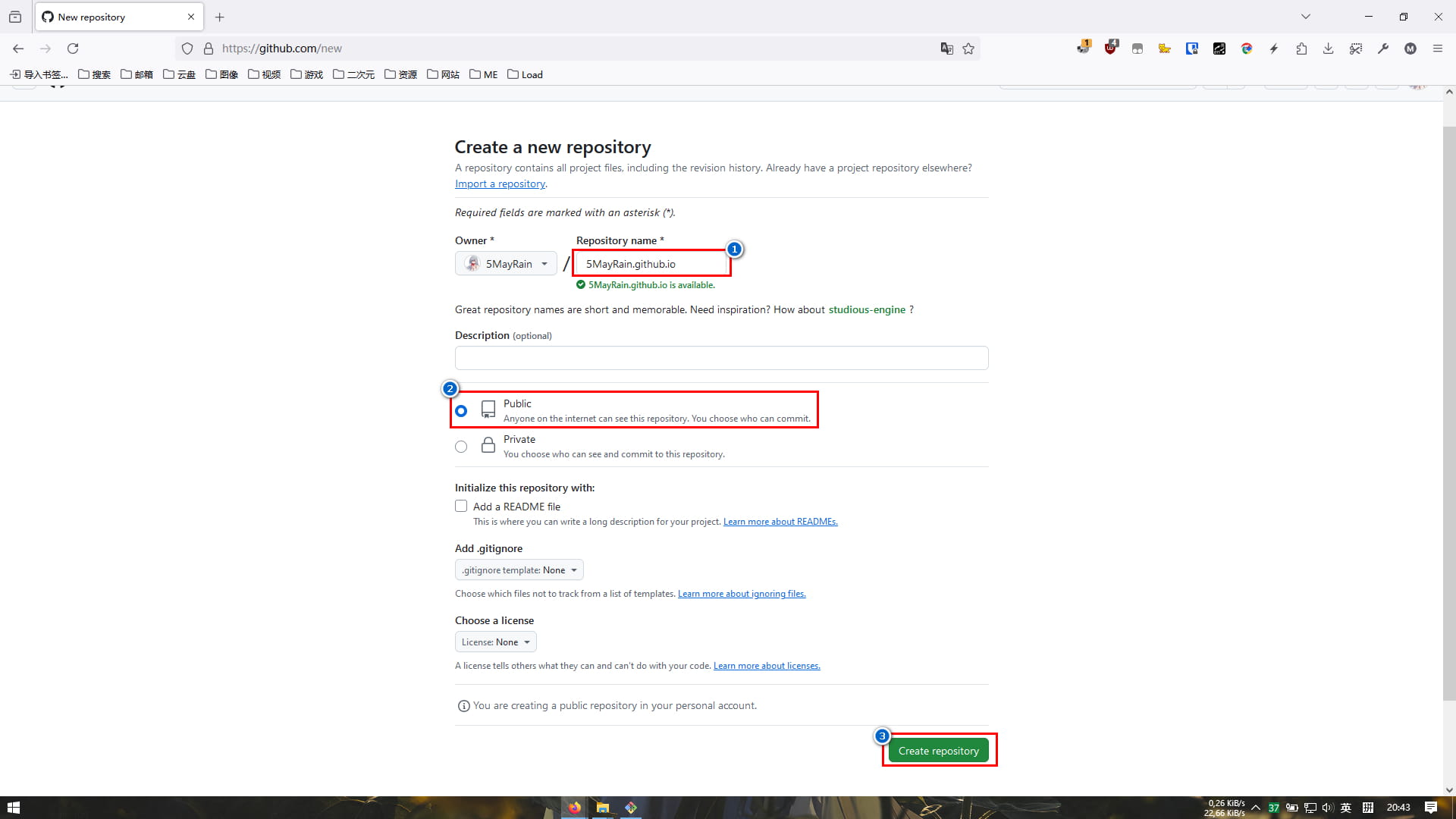
git bash 窗口输入以下命令,然后回车x41
ssh-keygen -t rsa -C "GitHub注册邮箱"
/C/Users/ZGH/.ssh/id_rsa.pub,详细路径为 C:\Users\ZGH\.ssh\id_rsa.pub,打开该文件,拷贝里面的内容
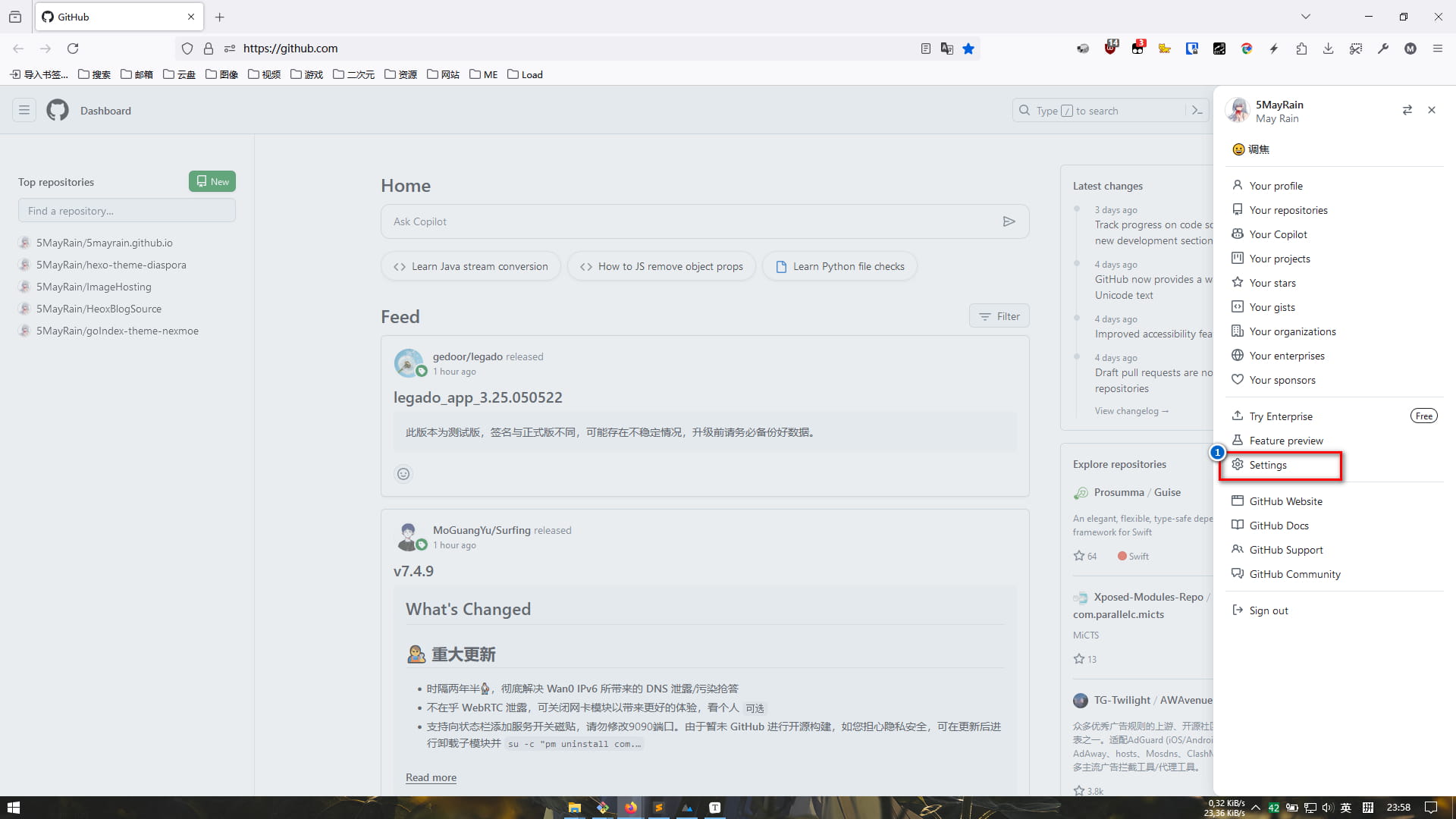
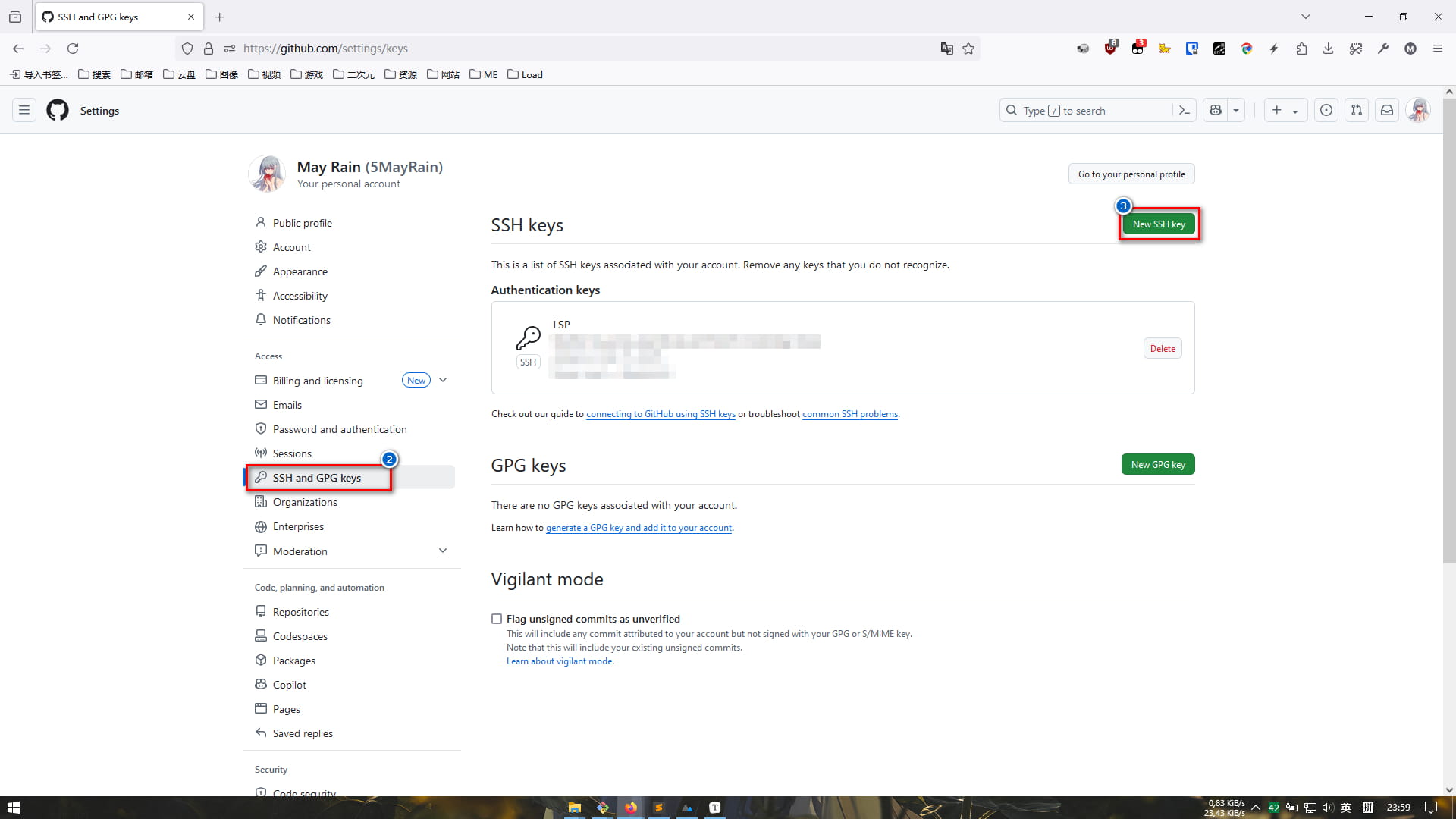

git bash 窗口输入以下命令,输出内容有 Hi 用户名! You've successfully ......,则成功配置1
ssh -T git@github.com_config.yml 文件,修改尾部的 deploy 内容1
2
3
4
5
deploy:
type: git
repository: git@github.com:用户名/用户名.github.io.git
# 分支
branch: master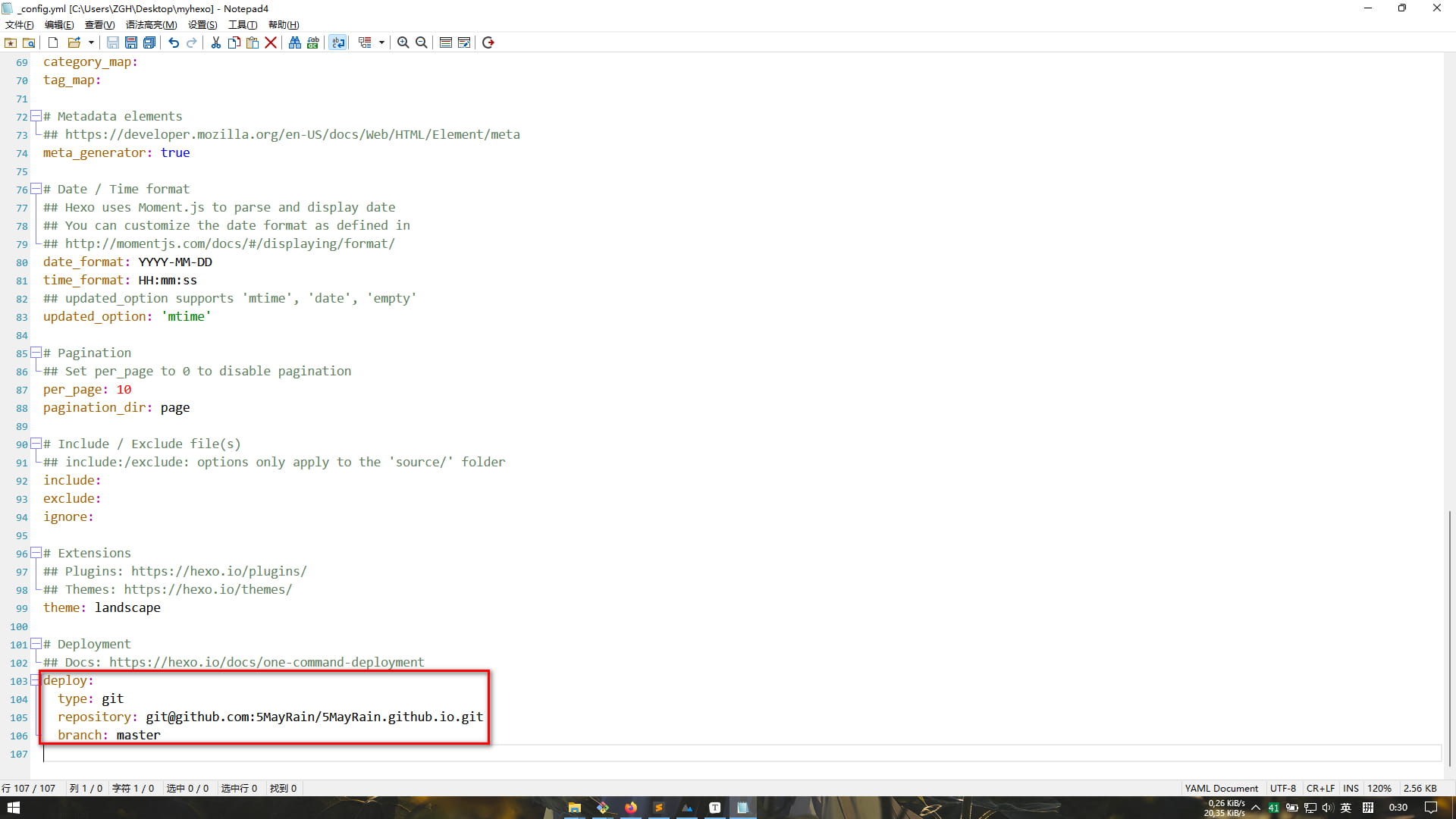
git bash 命令窗口,输入以下命令,安装 hexo-deployer-git 部署插件1
npm install hexo-deployer-git --save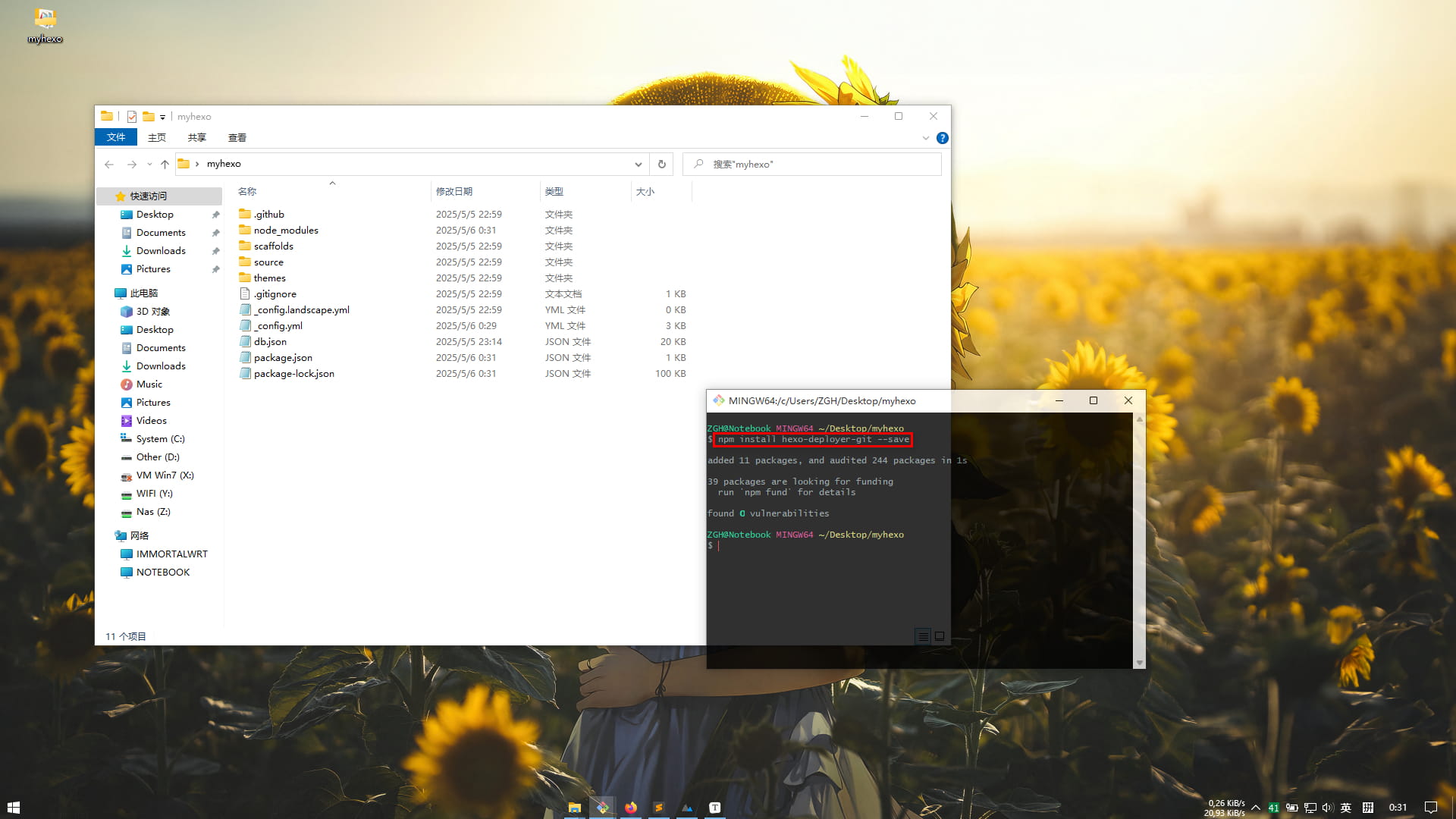
1
2
3
4
5
6
git config --global user.email "GitHub注册邮箱"
git config --global user.name "GitHub用户名"
# 生成静态网页
hexo g
# 部署
hexo d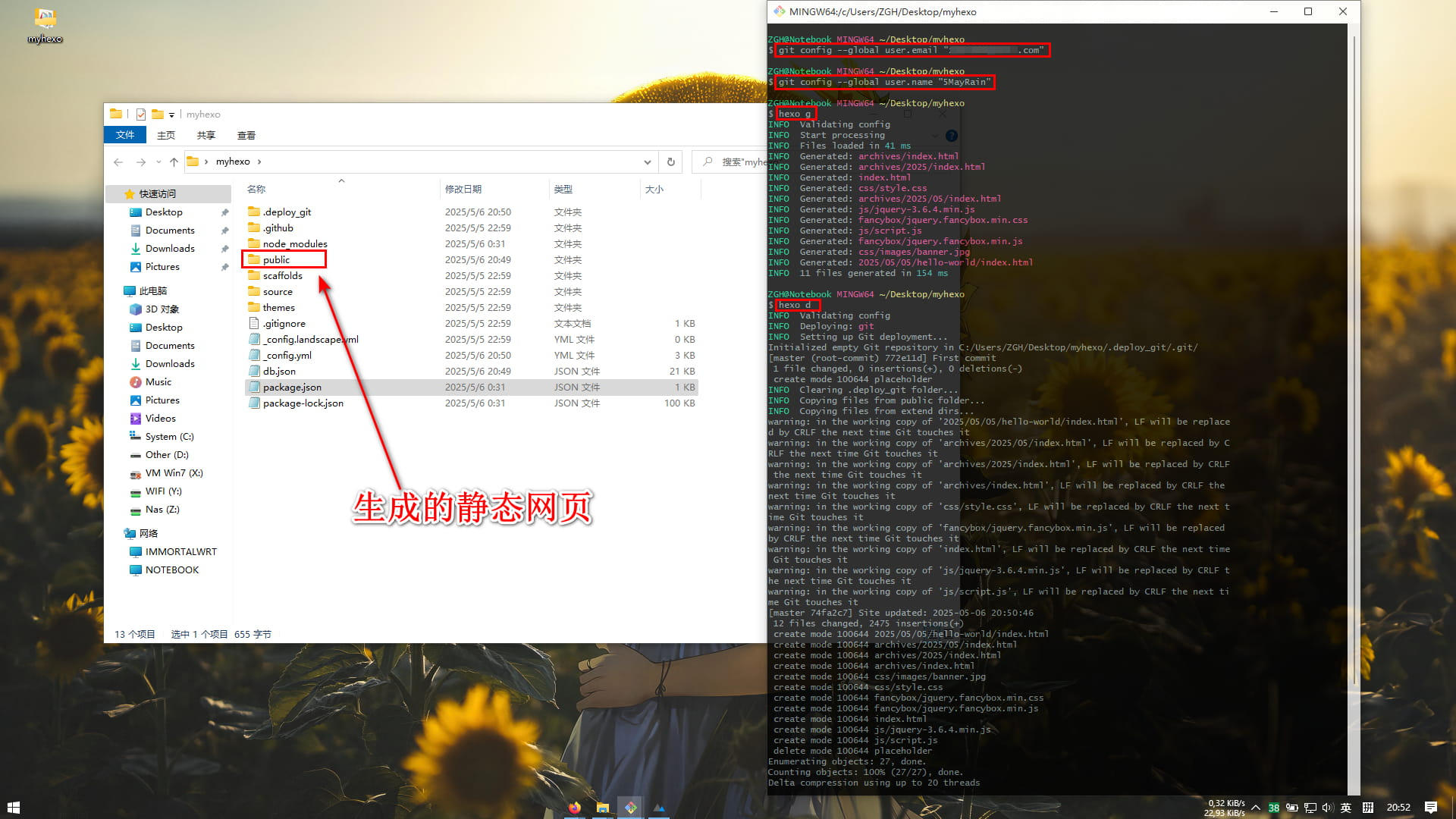
在浏览器打开网址 https://用户名.github.io
- END -